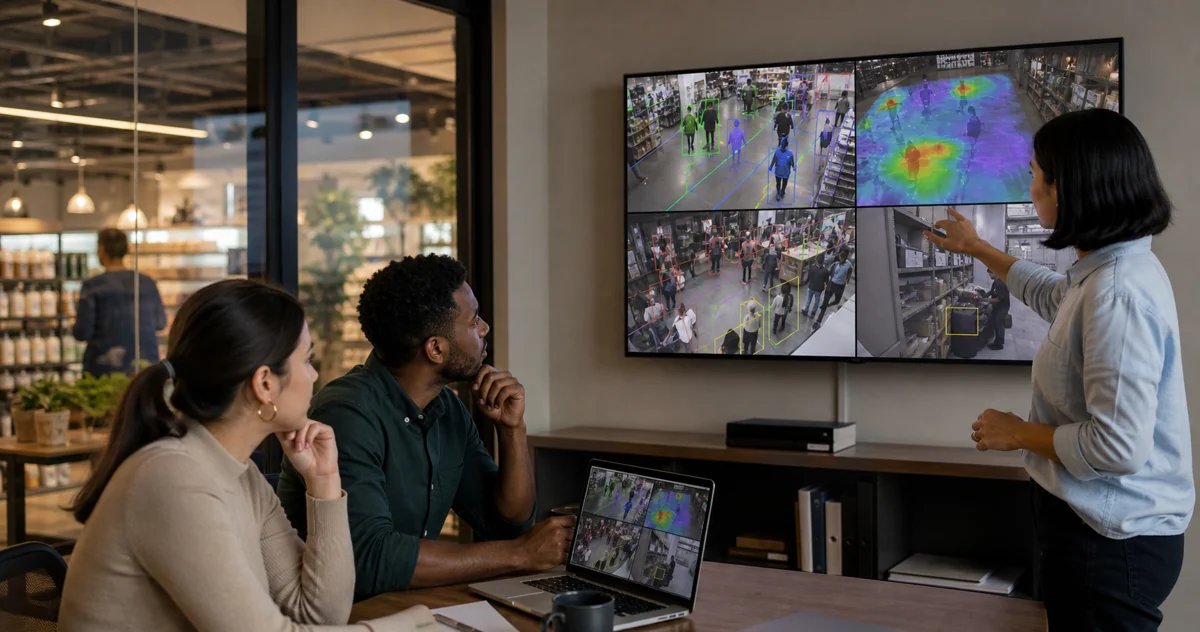
Cloud Based Video Analytics: Cloud vs Local
Cloud based video analytics can make multi-site monitoring easier, but the best architecture depends on where video processing happens. Cloud-first systems send some or all camera footage to remote infrastructure. Local or hybrid systems process video near the cameras and send managers the events, counts, alerts, and other operational data they need.
For a retail store, restaurant, warehouse, or other physical operation, the practical choice is usually not simply cloud versus on-premise. It is deciding which work belongs on-site and which work belongs in a shared dashboard. If the workflow needs fast queue, restricted-zone, or safety alerts, local processing can reduce dependence on continuous upload. If the workflow needs multi-site reporting and remote review, a cloud dashboard can still be useful.
What is cloud based video analytics?
Cloud based video analytics uses remote services to process, store, manage, or report on camera-derived data. Depending on the product, the cloud may receive continuous streams, short event clips, metadata, or a mixture of these. The results can appear in a browser dashboard, mobile application, alert feed, or reporting layer.
Cloud architecture is attractive when a business has many small locations, limited local IT support, and reliable connectivity. A central team can manage users, review events, compare locations, and receive software updates without visiting every site. Cloud storage may also simplify retention when remote access to recordings is a core requirement.
The label is not enough to compare products, though. A cloud dashboard does not necessarily mean that every frame is analysed in the cloud. Some systems run inference on a camera, recorder, or local computer and use the cloud for management. Buyers should ask where inference runs, which data leaves the site, and what still works if the internet connection becomes unreliable.
When is cloud video analytics a good fit?
Cloud-first processing can fit a business that prioritises central management over immediate local response. It may be a sensible choice when:
- sites have dependable upload capacity;
- the main job is historical review or weekly reporting;
- remote video retention is a firm requirement;
- the business has limited staff to maintain local systems; or
- the vendor's camera, gateway, and storage model matches the installed estate.
It is less straightforward when a business already owns compatible IP cameras and wants to add a narrow operational workflow. Replacing cameras or uploading several continuous streams can add hardware, bandwidth, storage, and subscription dependencies before the first useful alert is measured.
Why does local processing matter for existing CCTV?
Local processing keeps the decision close to the camera feed. That matters when the operating response is time-sensitive, such as opening another checkout, reviewing a restricted-area entry, or asking a supervisor to check a loading zone.
It also changes the data flow. A local engine can detect a person, vehicle, queue, zone entry, or dwell event and send the event metadata to a dashboard. An optional detection snapshot may be useful, but continuous raw video upload is not required for every analytics workflow.
For existing-camera operators, compatibility is equally important. Before choosing a platform, verify that it can use the available IP or RTSP streams, that the camera views are suitable, and that the local host has enough capacity. A buyer should also confirm whether the system needs proprietary cameras, a new recorder, a gateway, or a dedicated Windows computer.
How should buyers compare cloud, edge, and hybrid systems?
Use the same questions for every vendor:
| Buyer question | Cloud-first consideration | Local or hybrid consideration |
|---|---|---|
| Does raw video leave the site? | Confirm whether streams, clips, or metadata are uploaded | Confirm what stays local and what is shared |
| What happens during weak connectivity? | Analytics or remote access may be delayed | Check whether local detection can continue |
| How quickly must someone act? | Often suitable for reporting; test alert timing | Often better suited to immediate site response |
| Can existing cameras be reused? | Check camera and gateway restrictions | Verify IP/RTSP access and local host capacity |
| What does the dashboard receive? | Confirm retention, regions, and access controls | Confirm events, counts, alerts, and optional snapshots |
The comparison should end in a small operational test, not a feature-count contest. Pick one entrance, checkout, service counter, stockroom, loading dock, or restricted zone. Define the event, the person who responds, and the evidence that would make the test useful.
What is a practical pilot framework?
A focused pilot can answer four questions:
- Can the platform connect to the cameras that are already installed?
- Can the team configure a useful zone or line without creating constant noise?
- Does the alert reach the right operator with enough context to act?
- Can the manager review counts, events, and patterns after the shift or week?
For example, a small restaurant might start with an entrance camera and a service-counter camera. The first workflow could measure arrival patterns and queue pressure. A retailer might start with an entrance, checkout, and stockroom view. The first test could combine footfall, queue monitoring, and restricted-area alerts. The goal is not to prove that the system detects everything; it is to learn whether the selected events help a named operator make a better decision.
For a fuller cost and setup checklist, see the video analytics software pricing guide and on-premise video analytics software guide. If the cameras are already installed, the guide to adding AI to existing cameras covers the compatibility questions to ask first.
How does Horus fit the cloud-versus-local decision?
Horus is a hybrid AI camera analytics platform for compatible existing IP cameras. The edge agent runs on a Windows computer at the customer's premises and processes video locally. The cloud dashboard receives operational metadata such as events, counts, alerts, timestamps, zones, service health, and optional detection snapshots.
That architecture is designed for operators who want the convenience of a shared dashboard without making continuous raw-video upload the centre of the workflow. Retail and restaurant teams can use the same camera estate for footfall, queue, dwell, occupancy, restricted-zone, and other supported operational signals, subject to camera view, host capacity, and deployment configuration.
The right fit still depends on the site. Check the camera streams, Windows host, network path, alert recipient, and first operating question before expanding to more cameras or locations. For a restaurant-specific example, see restaurant video analytics.
What should you ask before choosing a platform?
Ask vendors to answer these questions plainly:
- Which video or metadata is stored, and for how long?
- Where does inference run for each detection type?
- Can the platform use the existing IP/RTSP camera feeds?
- What continues to work if internet access drops?
- What local computer, gateway, or recorder is required?
- Can the team configure zones, thresholds, cooldowns, and alert recipients?
- Can managers export or review event history without watching every recording?
Clear answers make the architecture easier to evaluate. If a vendor cannot explain the data flow, camera requirements, and failure mode, treat those as open buying questions rather than assuming that a cloud label makes the deployment simpler.
Sources and further reading
- SecurityInfoWatch: Video Analytics — Edge vs. Cloud vs. On-Prem: overview of architecture trade-offs.
- IncoreSoft: Cloud Video Analytics: Pros and Cons: practical cloud video considerations.
- CamCentral Systems: Cloud vs On-Premise Video Surveillance: comparison of storage and deployment models.
If you want to test AI analytics on compatible existing cameras while keeping video processing on-site, Start your 14-day trial.